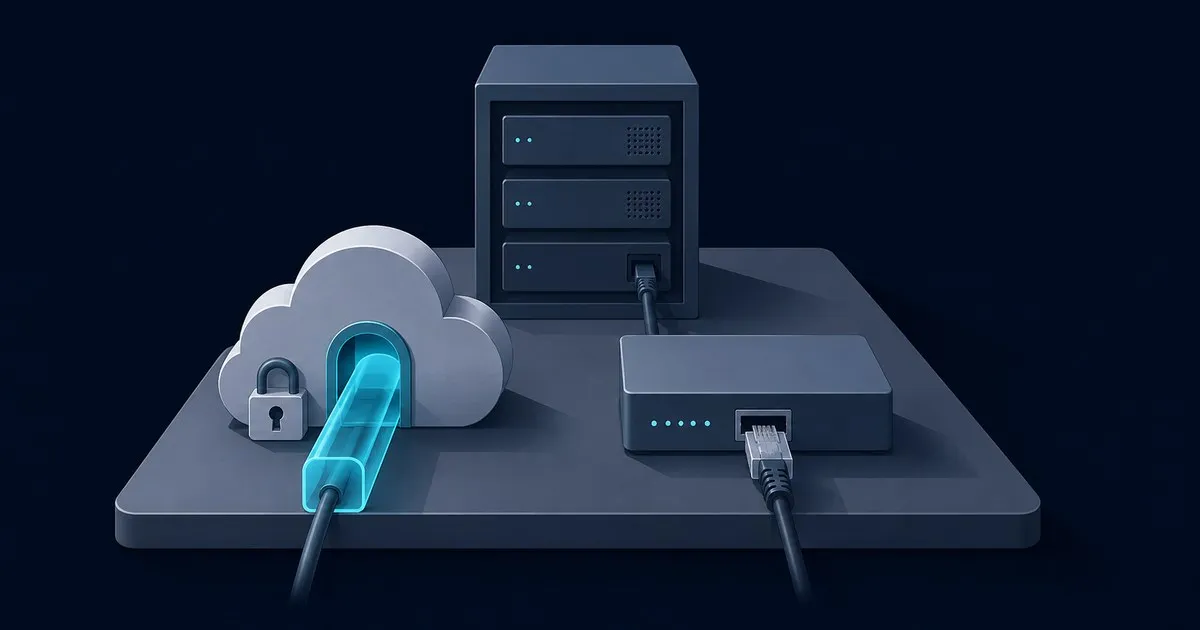
For Cloudflare Tunnel vs port forwarding, start with the application: Tunnel suits browser services behind CGNAT; direct forwarding suits services that need native inbound TCP or UDP. Both provide reachability. Authentication, application updates and limits on what the origin can reach remain separate design decisions.
Cloudflare Tunnel uses an outbound cloudflared connector, so the application needs no inbound router mapping. Port forwarding sends an incoming connection to a chosen internal address and port. That difference determines which approach can work on your Internet connection before cost or convenience enters the decision.
Cloudflare Tunnel vs port forwarding at a glance
| Question | Cloudflare Tunnel | Direct port forwarding |
|---|---|---|
| Who opens the origin-side connection? | The connector dials outbound | A remote client connects inbound |
| Does it need a public origin IPv4 address? | No | Direct IPv4 access needs upstream reachability |
| What does a browser user install? | Nothing for published HTTP/HTTPS | Nothing for a public web service |
| What about native protocols? | Published TCP/SSH usually needs client-side cloudflared; private routing is another option | Compatible clients connect to the forwarded TCP/UDP port |
| Where does browser TLS terminate? | At Cloudflare, with a separate origin connection | At your server or reverse proxy when DNS points directly to it |
| Does it authenticate users? | Add Access or application authentication | Add application authentication or a separate access layer |
| What sets the upload limit? | Cloudflare’s proxy limit plus origin limits | Origin and reverse-proxy limits, without Cloudflare if the path is direct |
The practical decision is whether the required client and protocol fit the route. A public website, a long-running SSH session and a game server should not inherit the same ingress design merely because all three live on one machine.
CGNAT: why a tunnel works when a port forward does not
An ISP-facing IPv4 address within 100.64.0.0/10 uses the shared space defined by RFC 6598. With carrier-grade NAT, the ISP controls another translation layer upstream of your router. A rule on your own router cannot create a mapping through that upstream device.
Because Tunnel starts outbound, it can publish a service without a publicly reachable origin address. The remaining prerequisite is egress: cloudflared must reach Cloudflare’s documented tunnel destinations on port 7844.
Do not treat IPv6 as an automatic extension of the IPv4 port-forwarding decision. Native IPv6 normally does not require NAT, but a public IPv6 address still needs an inbound firewall policy. For a Tunnel design, check that neither address family leaves an unwanted direct path to the application.
DDNS versus no inbound exposure
Dynamic DNS updates a hostname when the address at the Internet connection changes. It makes a changing public address easier for clients to find. It does not open a firewall, remove CGNAT or add authentication.
With direct forwarding, plan for both address changes and the inbound rule that delivers traffic. With Tunnel, the published hostname routes through Cloudflare to the connector; clients do not need to track the origin’s changing public address.
Closing the origin port does not make the published hostname private. Cloudflare’s self-hosted application guide explains the Access layer needed to protect it. For an internal dashboard, create the Access application and a narrow policy before sharing the address. The Zero Trust access guide explains that policy boundary.
Non-HTTP protocols: cloudflared access and private routing
The published-application protocol matrix distinguishes web traffic from native services. Published TCP streams over WebSockets, and the user runs cloudflared access tcp. For the client-side SSH path, the corresponding command is cloudflared access ssh. Creating a TCP or SSH origin route does not turn its public hostname into a conventional forwarded socket.
That client requirement matters for devices that cannot install software. A public service for arbitrary native clients may fit direct forwarding better. A published Tunnel route is also not a general public UDP listener.
For managed endpoints reaching private services, consider Cloudflare One Client with private network routes. This is a separate deployment choice from publishing a web hostname and involves client enrollment and routing policy. Keep those choices explicit when comparing onboarding effort.
WebSocket and SSH connection limits
Cloudflare supports WebSockets, but connections can close during edge restarts or after inactivity. Applications should reconnect and use an appropriate heartbeat for idle periods. A working WebSocket handshake is therefore useful evidence of compatibility, not a promise that a connection lasts indefinitely.
For long-lived TCP and SSH connections, Cloudflare’s protocol matrix recommends Client-to-Tunnel instead of the published WebSocket transport. Choose that private route when persistent administration sessions are a requirement. Direct forwarding removes this particular WebSocket dependency, although the network and application can still interrupt a direct session.
Free-plan upload ceiling: 100 MB per request
Cloudflare’s 413 reference lists a 100 MB maximum upload size on Free and Pro for requests through its proxy. The zone’s configured maximum can be lower. This is a request-size ceiling, not a monthly transfer allowance or a connector bandwidth rating.
A larger upload can receive a 413 even when the tunnel is healthy. Check whether the application supports uploads split into smaller requests; a large file is only suitable for that approach if the application handles the chunks correctly. Also check the origin’s own request limits.
A direct connection whose DNS points to your origin avoids Cloudflare’s proxy ceiling. Forwarding a port while leaving the hostname proxied through Cloudflare does not. For video and large-file delivery, consult the Tunnel FAQ for the distinction between published applications and private network routes before selecting a design.
Privacy and availability trade-offs
Published HTTPS through Tunnel makes Cloudflare a trusted intermediary. The edge and origin TLS model uses separate connections; encrypting the origin leg does not remove edge TLS termination. Direct HTTPS can terminate at your own reverse proxy when traffic reaches it without that intermediary.
Tunnel also requires a running connector. For the initial deployment, follow the first tunnel setup guide. If the browser shows a 1033, use the error 1033 checks to distinguish an unavailable connector from an origin-side failure. Keep this availability decision separate from authentication: a reachable tunnel and a correct Access policy answer different questions.
Isolate the connector on a services VLAN
As a suggested design, place the connector with the services it publishes and permit only the origin ports it needs across subnet boundaries. Restrict administration separately and allow the documented tunnel egress destinations: UDP/7844 for QUIC or TCP/7844 for HTTP/2, with return traffic allowed. Keep unrelated internal subnets inaccessible and remove obsolete inbound mappings. The same isolation principle applies to a directly forwarded server; the router and switch models do not determine which remote-access method fits.
Choose from the application outward
Choose Tunnel plus Access for an internal browser dashboard where identity controls and outbound-only origin connectivity fit. Choose private client routing for managed endpoints that need private services. Consider direct forwarding when native public protocol compatibility is essential and the Internet connection supports inbound access.
Before relying on the result, verify an authorized user can reach the intended service and an unauthorized user is denied. For Tunnel, confirm that the former direct origin path is closed. For either design, check the application’s upload behavior and reconnect behavior against the requirements that drove the choice. These checks assess the actual application path; a LAN throughput figure alone cannot establish that the remote service meets those requirements.


